Admins can set the login session timeouts, and the UI says when it loses its connection
Today the only way to shorten a Harvester login session is the command line, and when the browser loses its live connection the UI keeps showing old VM states without a word. This change adds the two session timeouts to Settings and shows a "Disconnected" pill in the header while the connection is down.
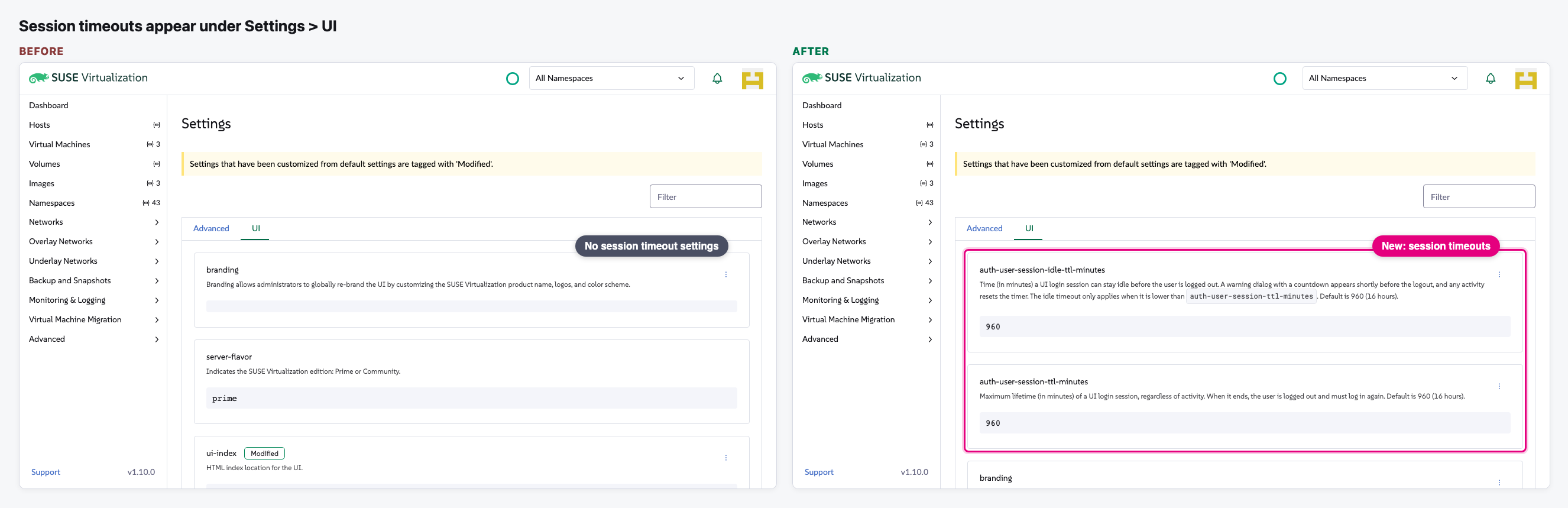
- Settings > UI gets two new entries: the session timeout (how long a login lasts) and the idle timeout (how long it may sit unused). Both default to 16 hours.
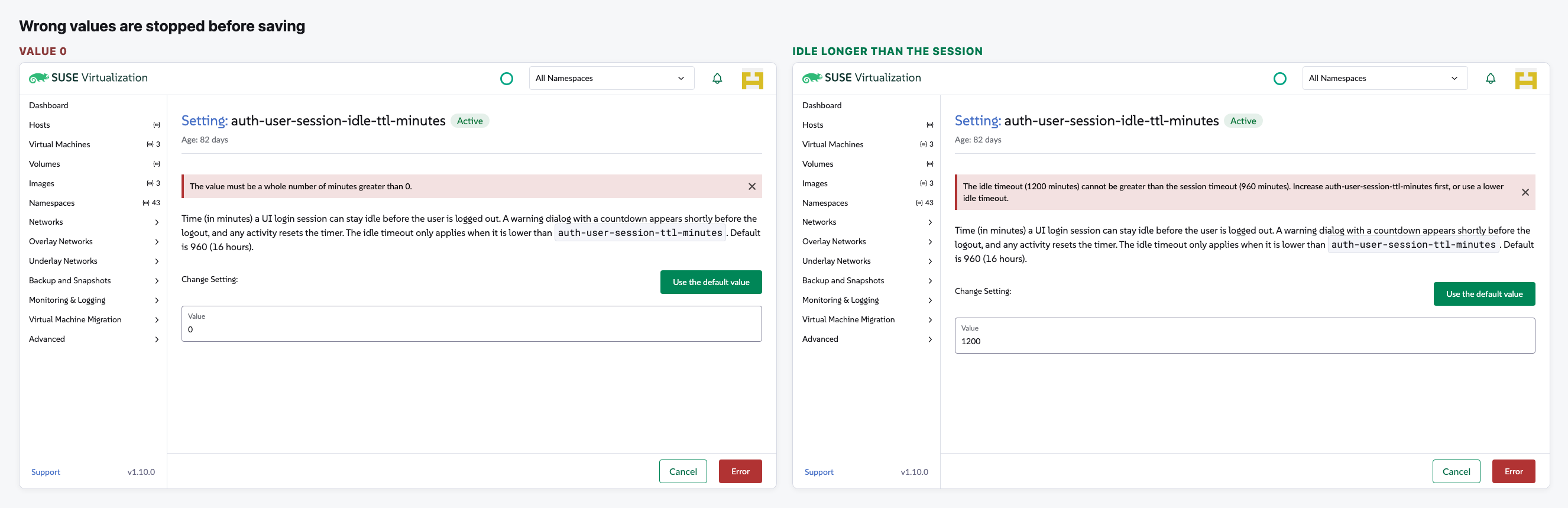
- Wrong values (0, text, or an idle timeout longer than the session) are refused with a clear message before anything is saved.
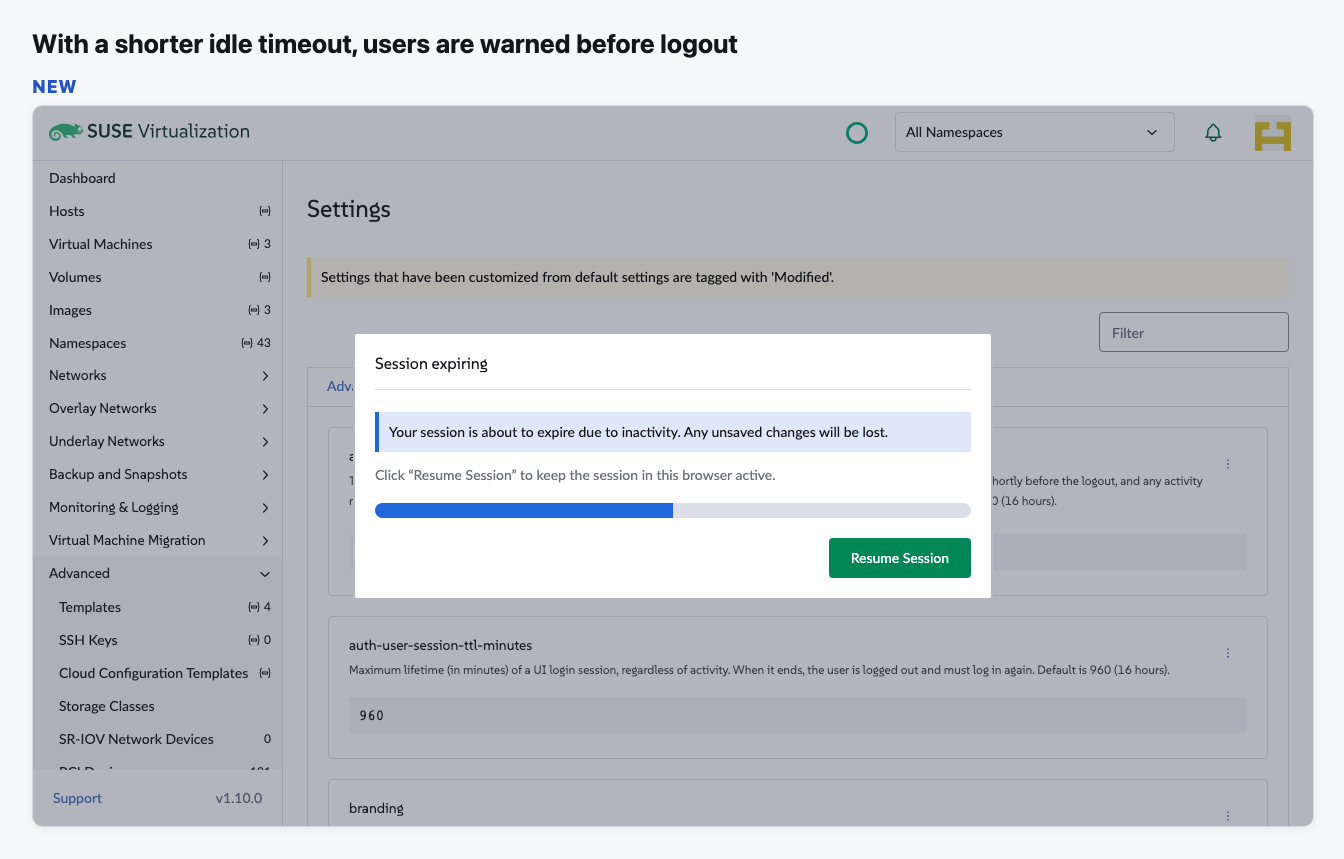
- With an idle timeout shorter than the session, an existing "Session expiring" warning with a countdown now shows before the user is logged out.
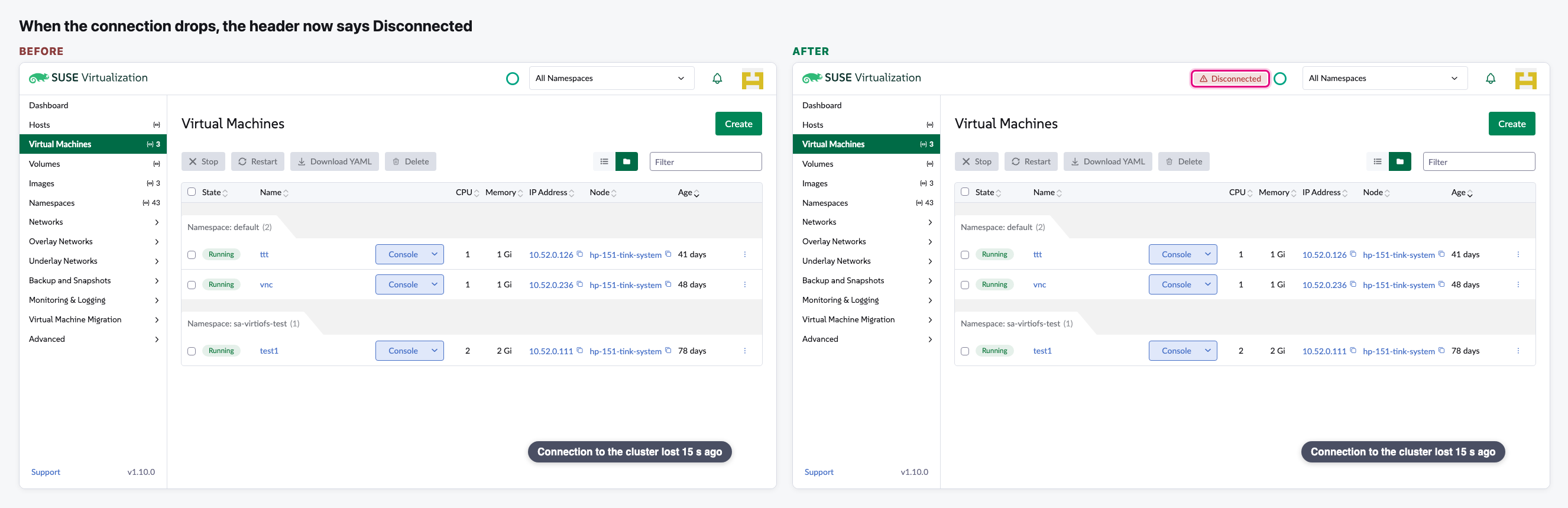
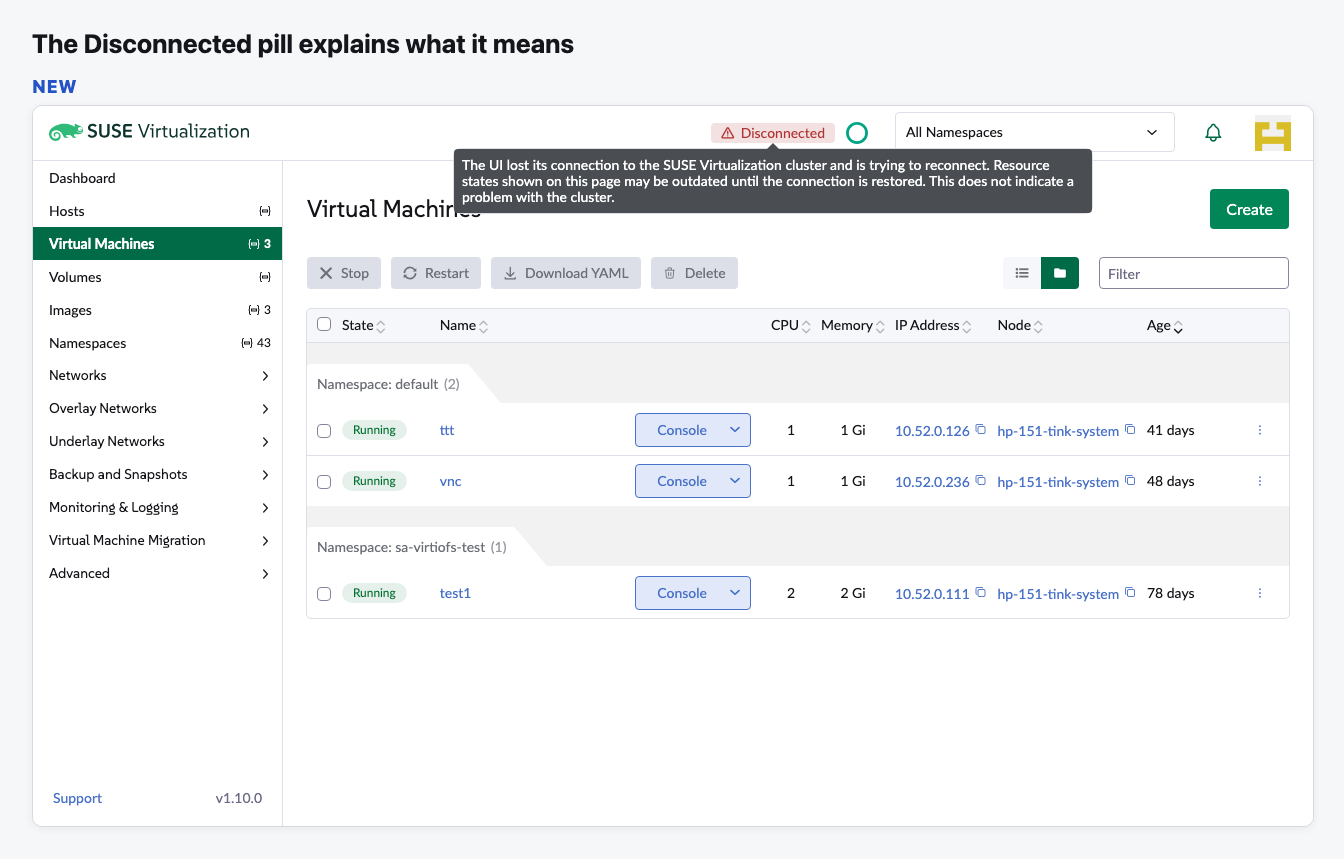
- When the browser loses its connection for more than 10 seconds, a red "Disconnected" pill appears in the header. Its tooltip says the states on screen may be out of date and that the cluster itself is fine. It goes away on its own when the connection comes back.
The flow
Two new settings under Settings > UI
The session timeout and the idle timeout now show next to branding, each with a short description.
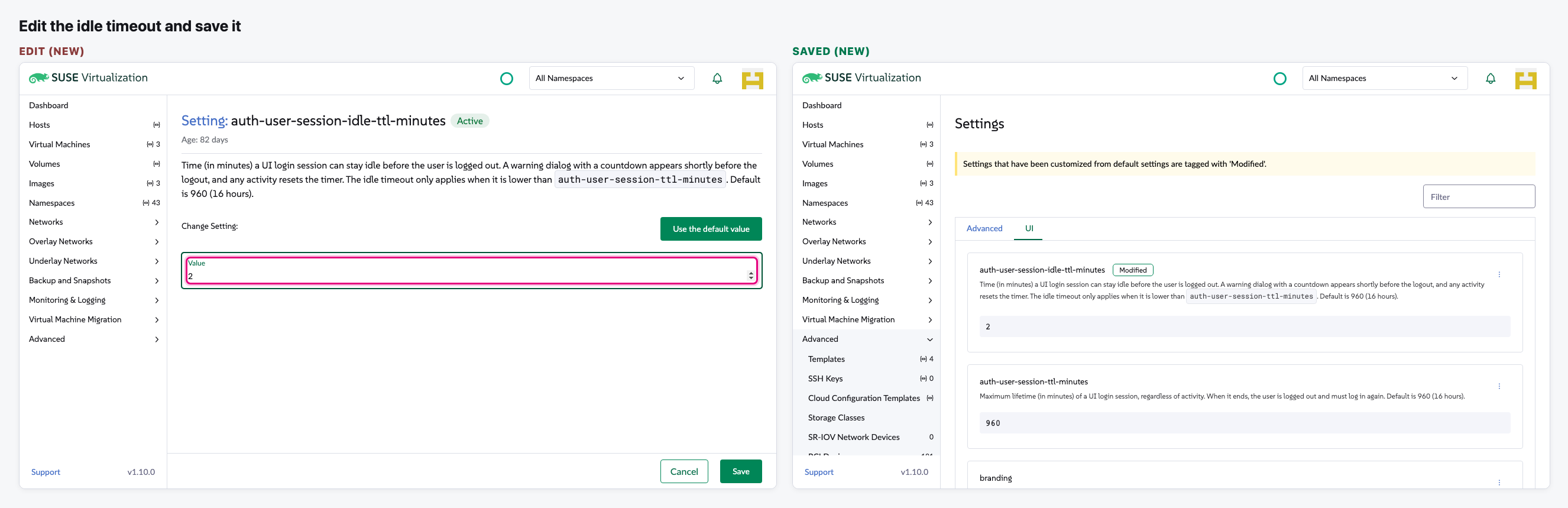
Edit the idle timeout and save
Edit Setting opens a simple form with a value in minutes. We set 2 minutes and save.
Wrong values are stopped
0 is refused, and so is an idle timeout longer than the session timeout.
Idle users get a warning before logout
With the idle timeout below the session timeout, a "Session expiring" dialog with a countdown appears before the user is logged out.
Connection lost: the header now says so
We cut the browser's live connection on the Virtual Machines list and wait 15 seconds.
The pill explains itself
Hovering (or tabbing to) the pill shows what it means and what it does not mean.
Video (optional)
Notes
- This is what the PR proposes at its current version. We have not reviewed this round yet. The PR is up to date with main and has no conflicts, so "Before" is the current main.
- The new settings only show on Harvester v1.10 and later. Our test Harvester is v1.9, so the browser reported it as v1.10 (that is why the corner reads v1.10.0 on both sides).
- No real setting was changed: every save was answered in the browser. To show the warning dialog without waiting, we also shortened the idle time in the browser only. The lost connection was simulated in the browser; the cluster was never down.
- Still true from our first look: inside Rancher (Virtualization Management), the new descriptions replace Rancher's own text for these two settings, so Rancher's Global Settings page would show the Harvester text with raw <code> tags. We can't show it here because it needs Rancher.
- Still true: the "Reload" button for when the UI gives up reconnecting never shows with default settings, because by default the UI never stops retrying.
- Still true: the message "Increase auth-user-session-ttl-minutes first" also shows on the session timeout form itself, where it reads oddly.